10 Essential Tips for Using RG11 Cable Effectively?
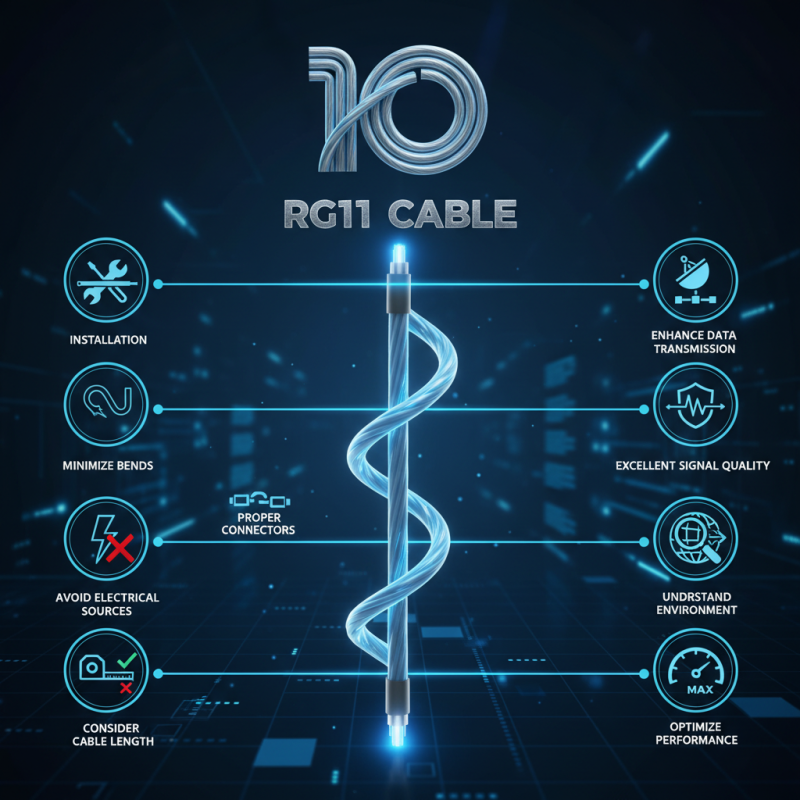
Using RG11 cable can significantly enhance your data transmission capabilities. This cable type is known for its excellent signal quality and long-range performance. However, many users underestimate its full potential. By following essential tips, you can vastly improve your setup.
One major aspect is the installation process. Poor installation can lead to signal loss and poor performance. Make sure to minimize bends and sharp angles to maintain signal integrity. Additionally, proper connectors play a crucial role. Selecting the right connectors ensures secure connections and minimizes interference.
Another key point is understanding the environment where you use RG11 cable. Avoid running it near electrical sources, as this can introduce noise. Also, consider the length of the cable run. While RG11 can cover longer distances, excessive lengths may still degrade the signal. Be mindful of these factors to achieve the best performance from your RG11 cable.
Understanding RG11 Cable Specifications and Uses
RG11 cable is an essential component in telecommunications and cable television networks. Its specifications are critical for ensuring optimal performance. With a thicker conductor than RG6, RG11 can minimize signal loss over long distances. It has a lower attenuation rate, which makes it suitable for runs exceeding 100 feet.
According to industry data, RG11 has a capacitance of approximately 18.7 pF/ft. This lower value contributes to reduced interference. However, installation can be challenging due to its rigidity. It's important to consider the length of your cable runs and the environment in which they are installed. Poor installation can lead to poor performance.
RG11 is often used for both residential and commercial purposes. It excels in outdoor applications where durability matters. Some technicians report difficulties in managing bends and twists during installation. When improperly handled, signal loss may increase, leading to unsatisfactory performance. Knowing the specifications and appropriate uses is vital for achieving the best results with RG11 cable.
Choosing the Right Tools for RG11 Cable Installation
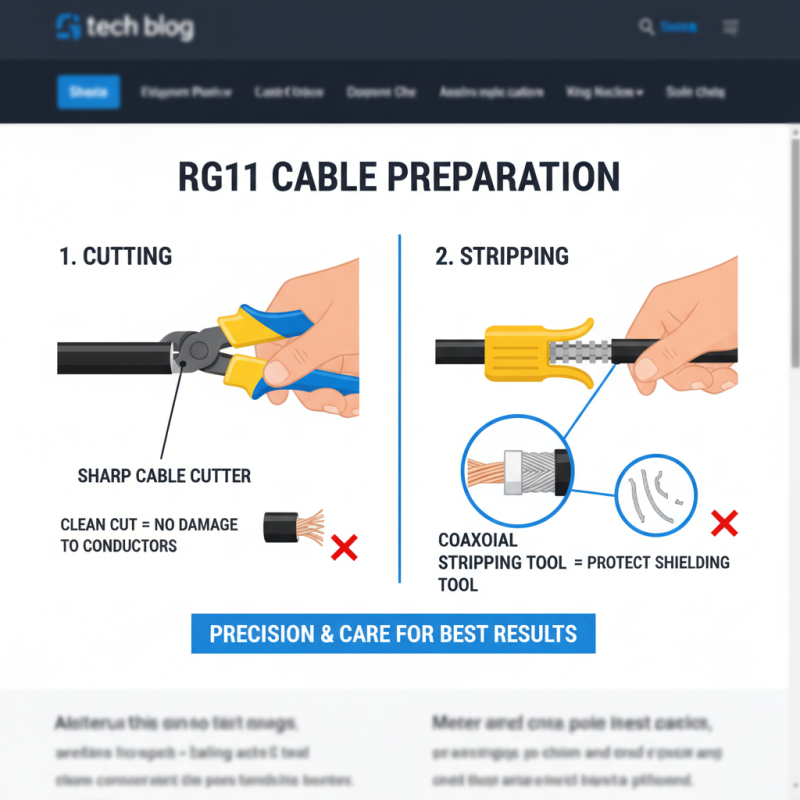
When installing RG11 cable, having the right tools is crucial. A cable cutter and stripping tool are essential for clean cuts and accurate stripping. Precision is key. If not, you might end up with frayed ends that can cause signal loss. A good crimping tool is also necessary for connecting connectors securely. Cheap tools might save money initially, but they can lead to poor connections and costly repairs later.
In addition to basic tools, consider having a cable tester on hand. This tool helps to verify the integrity of your connections before the final installation. It can save you time and frustration. A measuring tape is also helpful for ensuring lengths are accurate. Troubles arise when cables are too short or long. Using labels can aid organization, especially in complex installations. Unlabeled cables can create confusion, leading to mistakes.
Lastly, while investing in high-quality tools is vital, it’s equally important to practice your skills. Mistakes are part of the learning process. Each failed attempt teaches a lesson. Reflect on what went wrong and improve your technique. With patience and the right equipment, installing RG11 cable can become a much more manageable task.
Techniques for Properly Terminating RG11 Cable
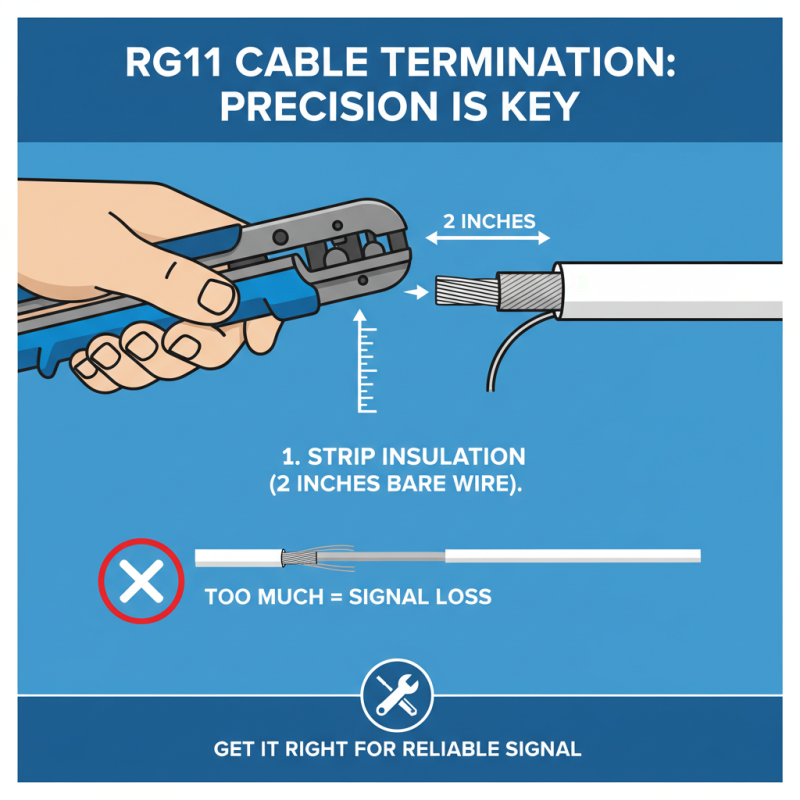
When terminating RG11 cable, precision is key. Begin by stripping the insulation carefully. Aim for about two inches of bare wire. Many people struggle with this step. Cutting too much can lead to signal loss.
Next, ensure that the copper wires are neatly arranged. A messy arrangement can cause connection issues. It’s common to overlook this detail in the rush to complete the task. Be patient. Each wire should be spaced evenly for a secure fit.
After arranging the wires, secure them in the connector. It’s crucial that the connector fits tightly. If it’s loose, you may face connectivity problems later. Don’t skip the testing phase. A small check can save hours of troubleshooting later. Remember, every detail matters when it comes to effective cable termination.
Troubleshooting Common RG11 Cable Issues
RG11 cable is a popular choice for long-distance signal transmission. However, issues can arise during use. It's crucial to recognize common problems with RG11 connections. Signal loss is a frequent culprit. This can happen due to improper connections or cable damage. Inspect the cable for any visible signs of wear. Check the connectors too; loose connections can degrade signal quality.
Interference is another problem to consider. RG11 may encounter interference from nearby electronic devices. Keep the cable away from power lines and large appliances. If the signal quality fluctuates, reposition the cable. Sometimes, a simple movement can make a difference. Grounding issues can also affect performance. Ensure that all your equipment is properly grounded to minimize disruptions.
Furthermore, using the wrong connectors can lead to poor performance. Using connectors that do not match the RG11 specifications can impact signal integrity. Always verify compatibility before installation. Adding a signal amplifier sometimes helps. Yet, over-amplifying can introduce noise. It’s essential to find a balance. Regular maintenance can uncover hidden issues. Periodically check cables and connections to prevent future problems.
10 Essential Tips for Using RG11 Cable Effectively
| Tip |
Description |
Common Issues |
Solutions |
| 1. Proper Installation |
Ensure that the cable is installed correctly to avoid signal loss. |
Poor Signal Quality |
Re-check connections and adjust the cable path. |
| 2. Avoid Bends |
Keep the cable as straight as possible to prevent damage. |
Signal Interference |
Use straight sections whenever possible. |
| 3. Weatherproofing |
Use weather-resistant materials for outdoor installations. |
Cable Damage from Elements |
Wrap important sections with weatherproof tape. |
| 4. Proper Termination |
Ensure connectors are tightly fitted without excess strain on the cable. |
Signal Loss at Connectors |
Retry termination using proper tools. |
| 5. Electrical Interference |
Keep RG11 cables away from electrical wiring to minimize interference. |
Inconsistent Signal Strength |
Relocate the cable if possible, or use shielding. |
| 6. Regular Testing |
Use a cable tester to ensure cables are functioning correctly. |
Faulty Cables |
Replace any cables that fail testing. |
| 7. Use the Right Length |
Avoid using excessively long cables to prevent signal degradation. |
Weak Signal |
Use the shortest length possible for your setup. |
| 8. Grounding |
Ensure proper grounding to avoid static and electrical interference. |
Static Noise |
Implement grounding kits if needed. |
| 9. Clean Connectors |
Keep connectors clean from dirt and moisture. |
Poor Connection Quality |
Use contact cleaner to maintain connections. |
| 10. Use Quality Materials |
Select high-quality RG11 cables to ensure durability and performance. |
Frequent Failures |
Invest in reliable cables from reputable sources. |