How to Choose the Right Data Cable for Your Devices?
In today's tech-driven world, choosing the right data cable is essential for device performance. With various options available, it can be challenging to make the right choice. A data cable does not only connect your devices; it impacts speed and efficiency.
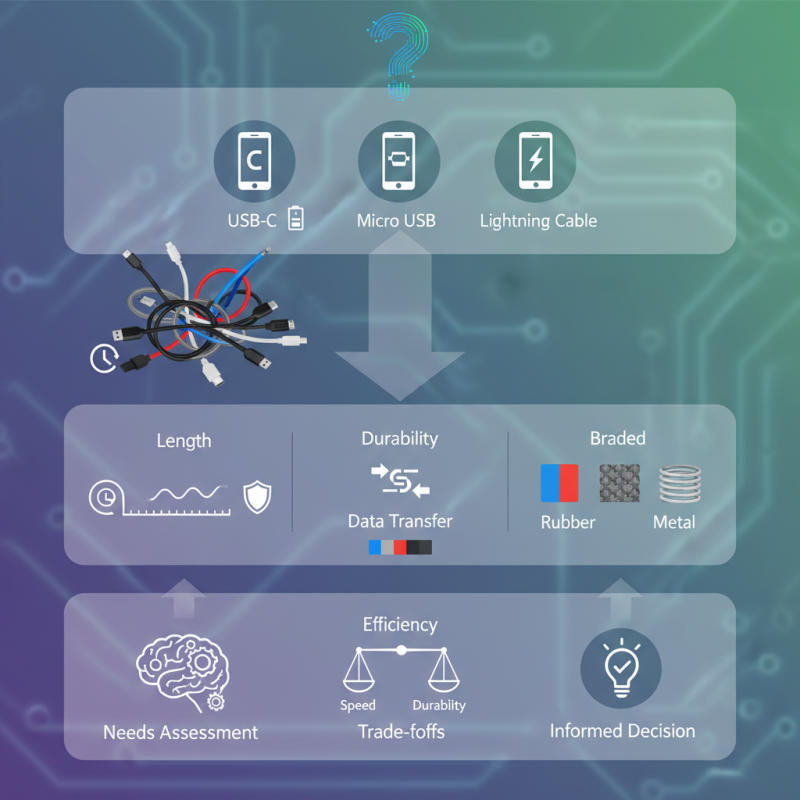
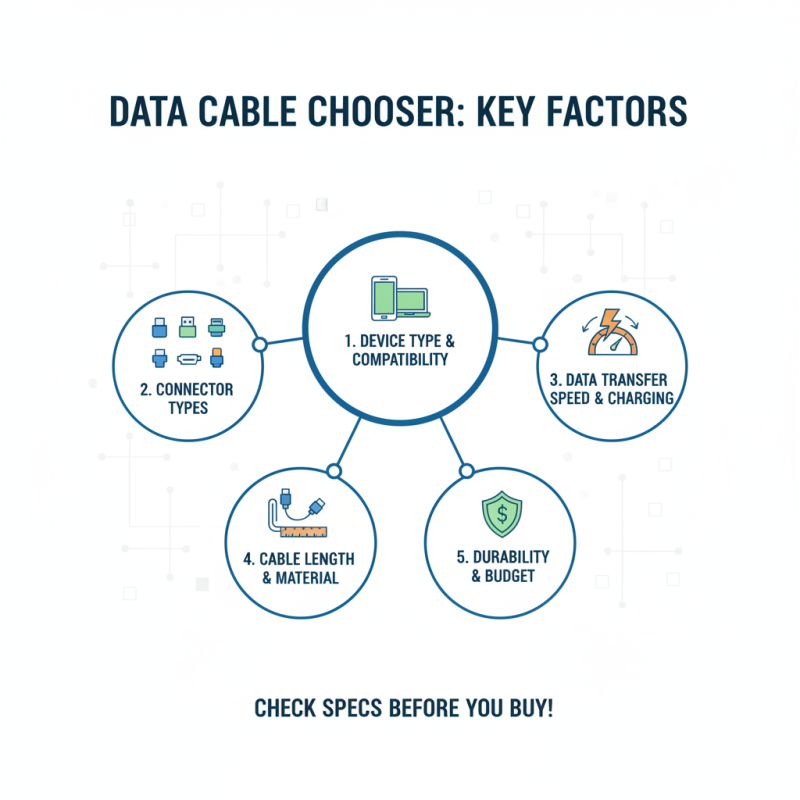
Different devices have unique requirements. For example, a smartphone may require a specific USB-C cable, while older devices may use Micro USB or Lightning cables. Selecting the wrong type could lead to slow data transfer or charging issues. Color, length, and material of the cable also matter. A longer cable can provide flexibility, but it may slow down the data transfer speed.
It's important to reflect on your specific needs before purchasing. Are you looking for durability, speed, or data transfer efficiency? Each choice comes with trade-offs. Understanding your devices can guide you in making an informed decision about the right data cable.
Understanding Different Types of Data Cables for Your Devices
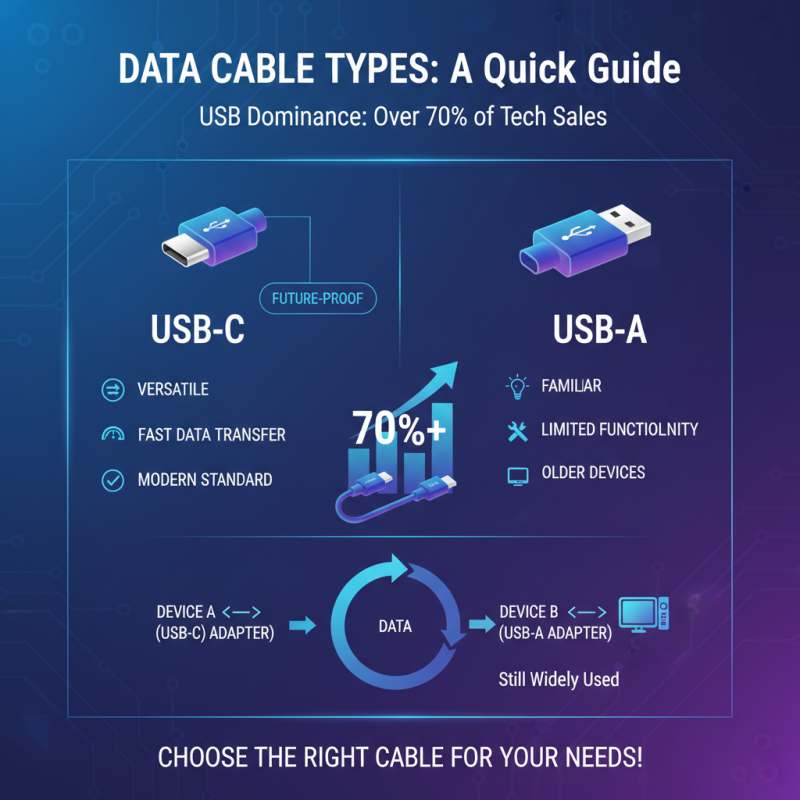
When it comes to data cables, understanding the types available is crucial. USB cables dominate the market, with reports indicating they account for over 70% of sales in the tech sector. USB-A and USB-C are common types found in most devices. USB-C is versatile and supports fast data transfer speeds. However, many users still rely on older USB-A cables. They are familiar but offer limited functionality.
HDMI cables serve a different purpose. They are essential for connecting video devices. The global market for HDMI cables has grown by 8% annually, driven by the rise of 4K and 8K streaming. However, not every HDMI cable is the same. Quality varies, and sometimes, cheaper cables don't deliver the expected performance. Users may notice these differences when streaming high-definition content.
Ethernet cables also deserve attention. While wireless connections are popular, wired connections are often more stable. Industry statistics suggest that about 60% of gamers prefer Ethernet for lower latency. Yet, many users overlook cable quality. Cheaper Ethernet cables might not support higher speeds. This could lead to frustrating experiences, especially during online gaming or video conferencing. Users should rethink their choices carefully.
Compatibility: Ensuring the Cable Fits Your Device Requirements
When selecting a data cable, compatibility is crucial. Not all cables are made the same. Check your device's requirements, including the type of connector it uses. Many devices have unique ports. Using the wrong cable can lead to slow charging or data transfer failures.
One tip is to look for cables that match your device specifications. If your device requires a USB-C connector, ensure you are not purchasing a micro USB cable. Sometimes cables are labeled similarly, which can be confusing. It's essential to read the details closely.
Another point to consider is the cable length. Longer cables can be handy, but they may affect performance. In some cases, longer cables lead to a drop in charging speed. Test a longer cable to see if it meets your needs. If not, shorter cables are often more efficient for charging and data transfers. Always keep your compatibility requirements at the forefront when shopping.
Evaluating Cable Quality and Durability for Long-Term Use
When choosing a data cable, quality and durability are crucial. A good cable withstands daily use. Look for robust materials. Tangle-free designs are a plus. Check the connectors. They should fit snugly without excessive wobble. Thin cables may seem convenient, but they often kink and fray.
Inspect the cable for certifications. These indicate it meets industry standards. This doesn't guarantee longevity but shows an effort toward quality. Materials such as braided nylon can enhance durability. However, even these can wear out, especially with heavy use.
Reflect on your usage habits. Do you often pull cables from tight spaces? That's a test for any cable. If a cable snaps, it’s frustrating. The right choice can save time and money in the long run. Consider replacing worn cables before they fail completely. Regular inspections help in maintaining your devices’ performance.
How to Choose the Right Data Cable for Your Devices? - Evaluating Cable Quality and Durability for Long-Term Use
| Cable Type |
Max Transfer Speed |
Material Quality |
Durability Rating |
Warranty Period |
| USB Type-C |
40 Gbps |
High-grade nylon |
4.5/5 |
2 years |
| HDMI |
18 Gbps |
Shielded copper |
4.0/5 |
1 year |
| Lightning Cable |
480 Mbps |
Apple certified |
4.7/5 |
1 year |
| Micro USB |
480 Mbps |
Standard PVC |
3.5/5 |
6 months |
| DisplayPort |
32.4 Gbps |
Durable PVC |
4.8/5 |
3 years |
Identifying Special Features and Technologies in Data Cables
When choosing a data cable, understanding its special features is crucial.
USB-C, for instance, supports faster data transfer.
It can reach speeds of up to 40 Gbps, as shown in recent industry reports.
This is an essential factor for users with high-performance devices.
Lightning cables, on the other hand, offer unique compatibility with
specific devices and can efficiently deliver both power and data.
Tips: Consider your device's requirements.
Check if it supports the highest speeds of the cable you choose.
Mismatched cables can lead to slower performance.
Some cables only support USB 2.0 speeds, which may not suffice for modern devices.
High-quality cables typically feature thicker insulation and better connectors.
These details enhance durability and performance.
Tips: Invest in a reliable cable for longevity.
Look for user reviews on performance and durability.
Understanding protocols is another key aspect.
Protocols like Power Delivery enhance charging speed.
They enable higher voltage and current delivery.
A cable that doesn’t support these features can be limiting, especially for power-hungry devices.
Tips: Always verify the specifications before purchasing.
Any oversight here can lead to frustration down the line.